

We all know the drill: you land in a new country after a long flight, you’re exhausted, jet-lagged, and the first thing you have to do is figure out how to get online.
For a long time, the only options were hunting down a physical SIM card booth at the airport or leaving your home network active and getting slapped with exorbitant international roaming fees that could easily ruin your travel budget.
Thankfully, eSIMs have completely changed the game and you can easily get one for your next trip with Sim Local.

In these article we are reviewing Sim Local, a company that sells travel eSIMs for a big list of countries in the world. We recently put Sim Local to the test during our trips to the Philippines and Malaysia. Here is the honest truth about their coverage, pricing, and whether they deserve a spot on your travel packing list.
What is Sim Local and what is an eSIM?
Sim Local provides digital SIM cards (eSIMs – embedded subscriber identity module) that you can install straight to your phone via their app or a QR code. These eSIM cards allow you to get internet access on your smartphone in one or several countries, without the hassle of dealing with a physical SIM card. There’s no tiny plastic card to swap out and no risk of losing your home SIM card.
Is it better to use an eSIM or a local physical SIM card?
This is one of the most common dilemmas for travelers today. The truth is, there isn’t a single “right” answer—it completely depends on your travel style, budget, and the duration of your trip. Here is a quick breakdown of the pros and cons of each option to help you decide:
Travel eSIMs (like Sim Local)
- Pros: The ultimate convenience. You can buy and install it from your couch before you even pack your bags, giving you instant internet the second your plane touches down. Because it’s digital, you don’t have to remove your home SIM card (meaning you can still receive important SMS messages like banking 2FA codes), and there’s zero risk of losing a tiny piece of plastic.
- Cons: Most Travel eSIMs are often data-only, meaning you won’t get a local phone number to make traditional offline calls (although Sim Local offers some with calls included). They also require a relatively modern, carrier-unlocked smartphone to work. And they are usually more expensive compared to a local physical SIM card
Local Physical SIM Cards
- Pros: This is usually the cheapest option per gigabyte if you are staying in a single country for an extended period (like a month or more). They almost always include a local phone number, which can be handy for signing up for local ride-hailing/food delivery apps or contacting local companies. Plus, they work on older or budget phone models that lack eSIM technology.
- Cons: You have to spend your precious vacation time finding a places where they sell them, waiting in line, and dealing with potential language barriers or mandatory registrations. You also have to physically swap out your home SIM card and safely store it somewhere so you don’t lose it during your trip.
If your priority is saving time, avoiding airport hassle, and keeping your home number active, an eSIM is the clear winner. However, if you are slow-traveling on a strict budget for months at a time and absolutely need a local number for local apps, taking the time to buy a physical SIM card might be the better route.
Sim Local pricing and plans: which one to choose
Sim Local offers a variety of plans depending on the destination, so you can choose based on your specific needs. Normally plans vary by:
- Duration: normally 1 to 31 days, depending on the provider and destination
- Amount of data (GB): from a few GB to unlimited plans (up to 10GB of high-speed data per day)
- Speed: some eSIMs are 4G only, some are also 5G
- Countries: you can buy an eSIM for an specific country, or you also have eSIMs for some regions (like Asia or Europa) and even a Global eSIM (check the specific list of countries as not all the countries in the world are included)
- Calls included or not: some plans include the ability to make calls and send SMSs in the destination(s)
- Hotspot/tethering usage: all Sim Local esims include hotspot and tethering with no restrictions on usage or number of connected devices, and no additional fees (so you can share the connection with other devices – other smartphones, computers, TVs, etc.)
- Network: you can see the local network that will be used by the eSIM in the country, in case you have a preference for that.
- Top-up possibility: some plans have the option to top-up if you finish the data.
Based on all those characteristics, prices vary a lot, from less than 5$ for shorter data-limited plans to more than 50$ for longer unlimited-data plans, so you can choose whichever plan suits your needs best. Ideally, you should start narrowing the plans down based on the number of days you need and the amount of data you plan to use.
How to install the Sim Local eSIM
The Sim Local eSIM setup process is incredibly straightforward and takes about five minutes:
- Check Compatibility: Ensure your phone is carrier-unlocked and eSIM compatible (most iPhones from the XR/11 onwards, and recent Samsung Galaxy/Google Pixel models are). You can check the list of eSIM compatible phones here
- Buy Your Plan: Browse the Sim Local web by country or region and choose a plan that suits your need in terms of duration, available data, speed, pricing, etc.
- Install and Activate: Download the eSIM before your trip and install it following the instructions before you travel (as usually the plans have a time limit and it starts counting when it connects to a local network)
Installing the eSIM is very easy and straightforward. You can read more about it in the following sections as we share our experience with Sim Local in the Philippines and Malaysia
When to install the Sim Local eSIM
The countdown for your plan starts counting when it connects to a local network.
So ideally, you should install the eSIM just before your trip, as the installation process normally requires internet connection (through WiFi or through other SIM/eSIM with an active data plan.
We normally install our eSIMs at the airport while we wait to board the plane.
Sim Local discount code
You can enjoy a 10% discount on your Sim Local eSIM using the discount code RANDOMTRIP
Our experience using Sim Local
We had the opportunity to test some of Sim Local eSIMs in our trip to the Philippines and Malaysia. We tested both the regional Asia eSIM and a country-specific Malaysia eSIM, and both worked great!
Choosing and buying the eSIMs
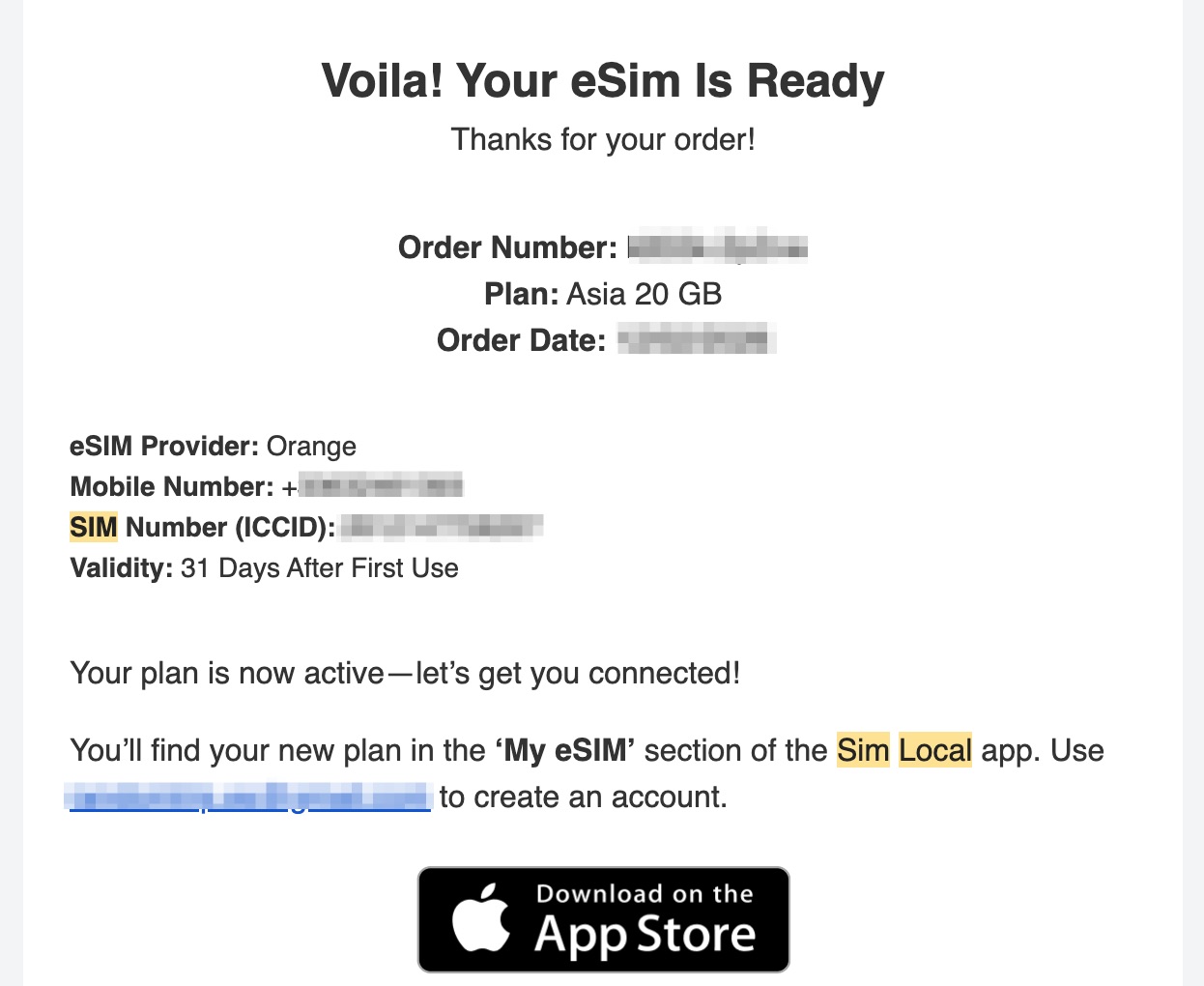
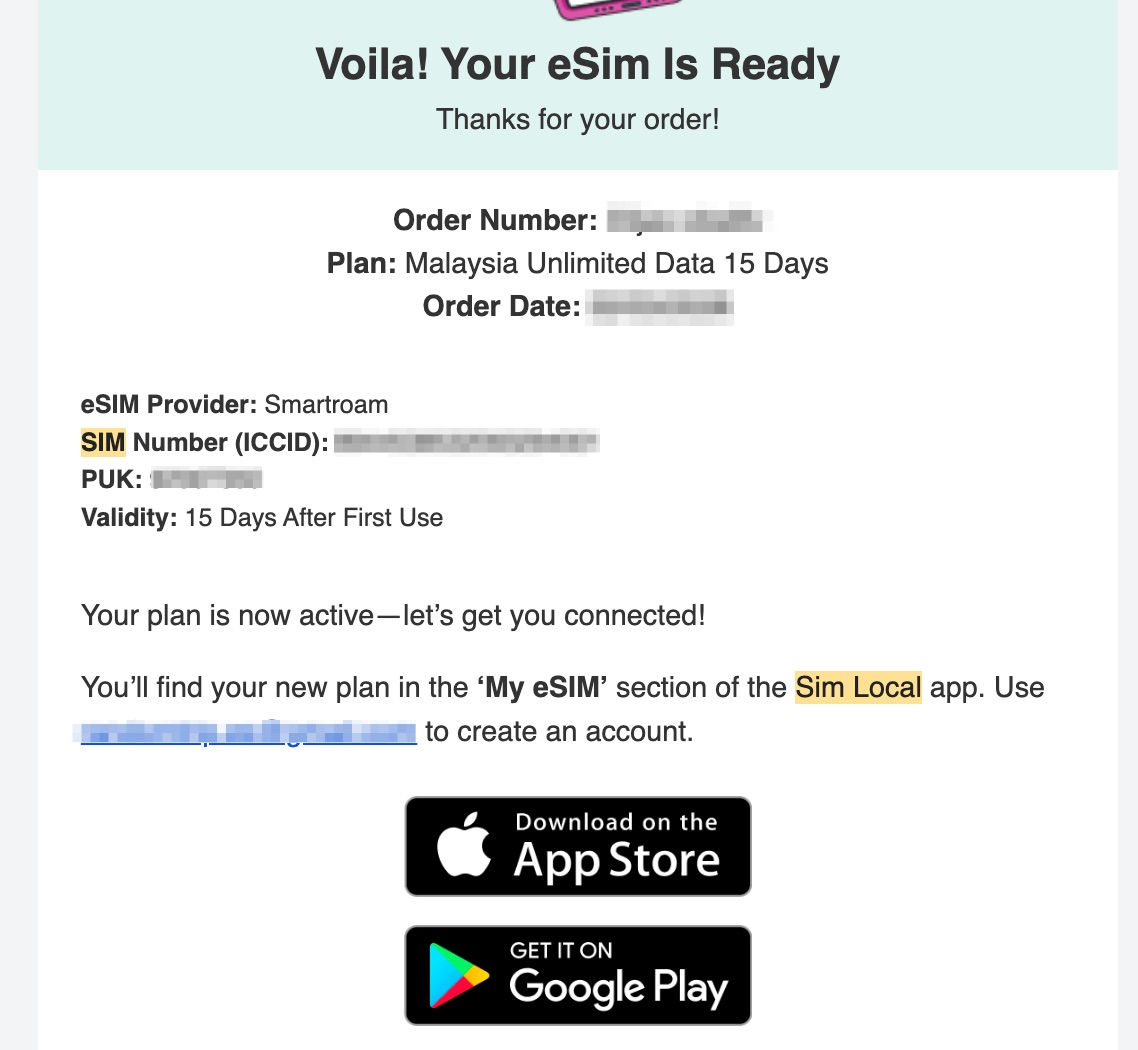
As we wanted to test both, we chose to buy an Asia eSIM for part of the trip in the Philippines and Malaysia, and then also a Malaysia eSIM for our last days in Malaysia.
For Asia as a region, there was only one plan available (20GB for 31 days, 4G only), so we bought that for the first part of the trip. You can check the current available Asia eSIM plans here
For Malaysia, there were different plans available, and we ended up choosing an unlimited plan for 15 days. You can check all the currently available Malaysia eSIM plans here
Installing the eSIMs
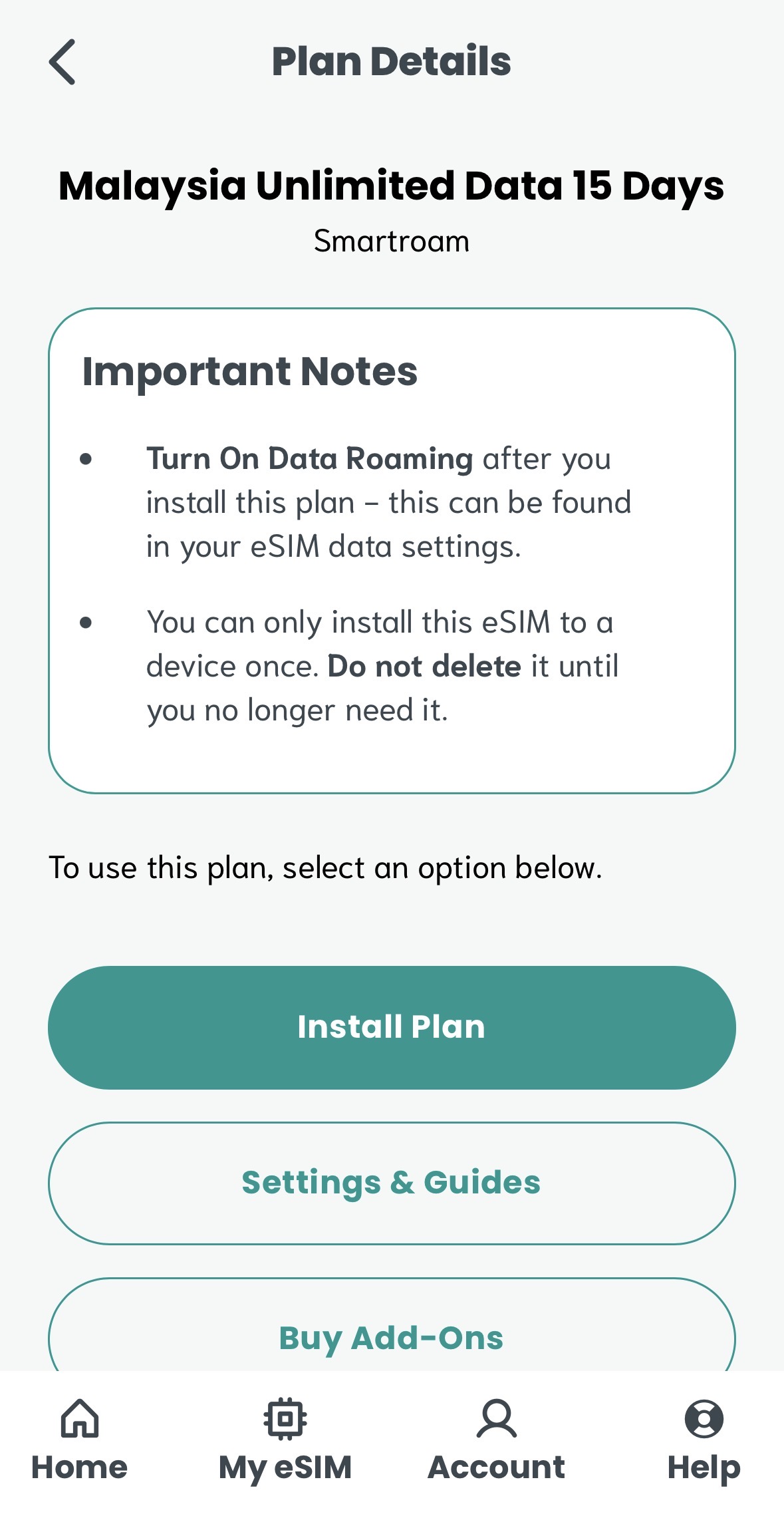
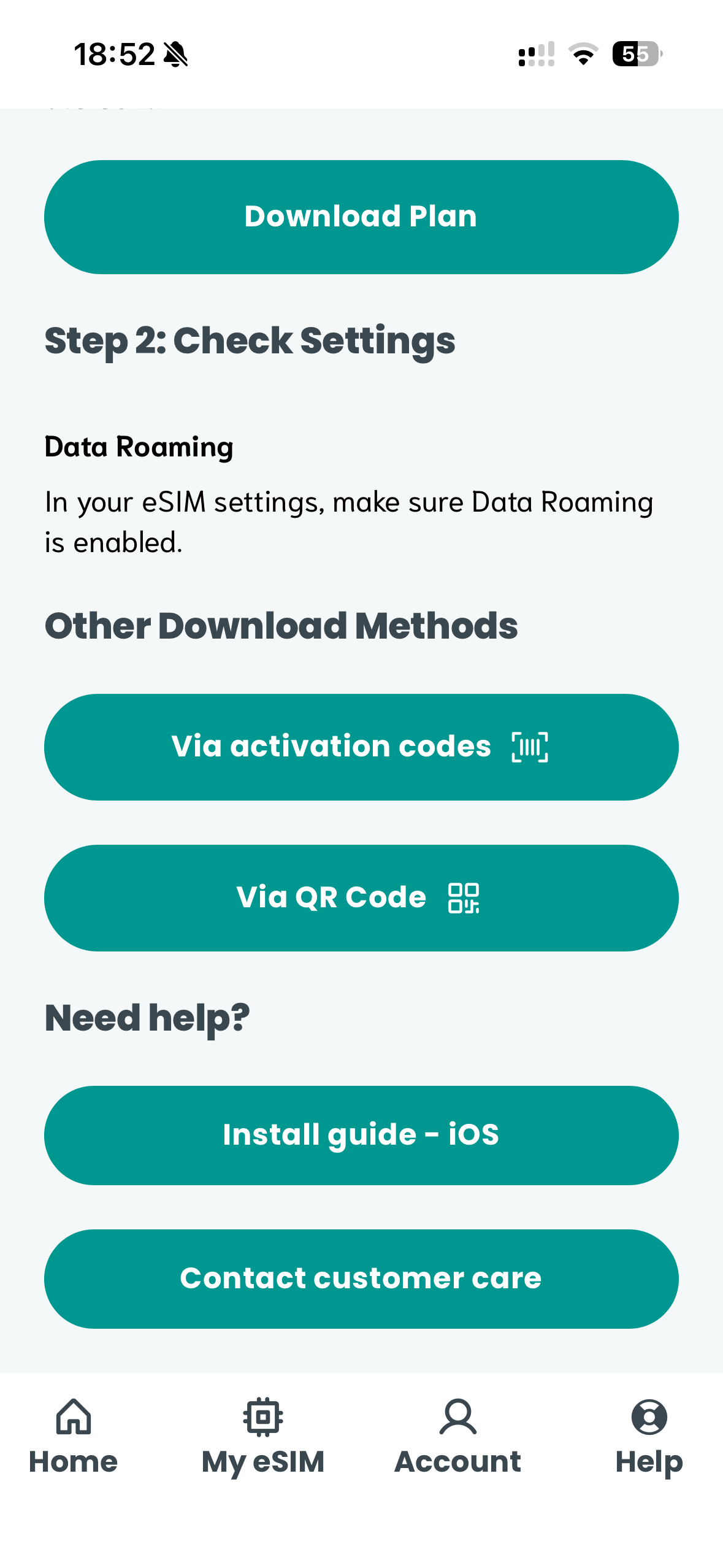
Since we use iPhone, installing the eSIMs was pretty straightforward, as after installing Sim Local’s app and logging in with our account, there was a direct link to install each eSIM with a few clicks:
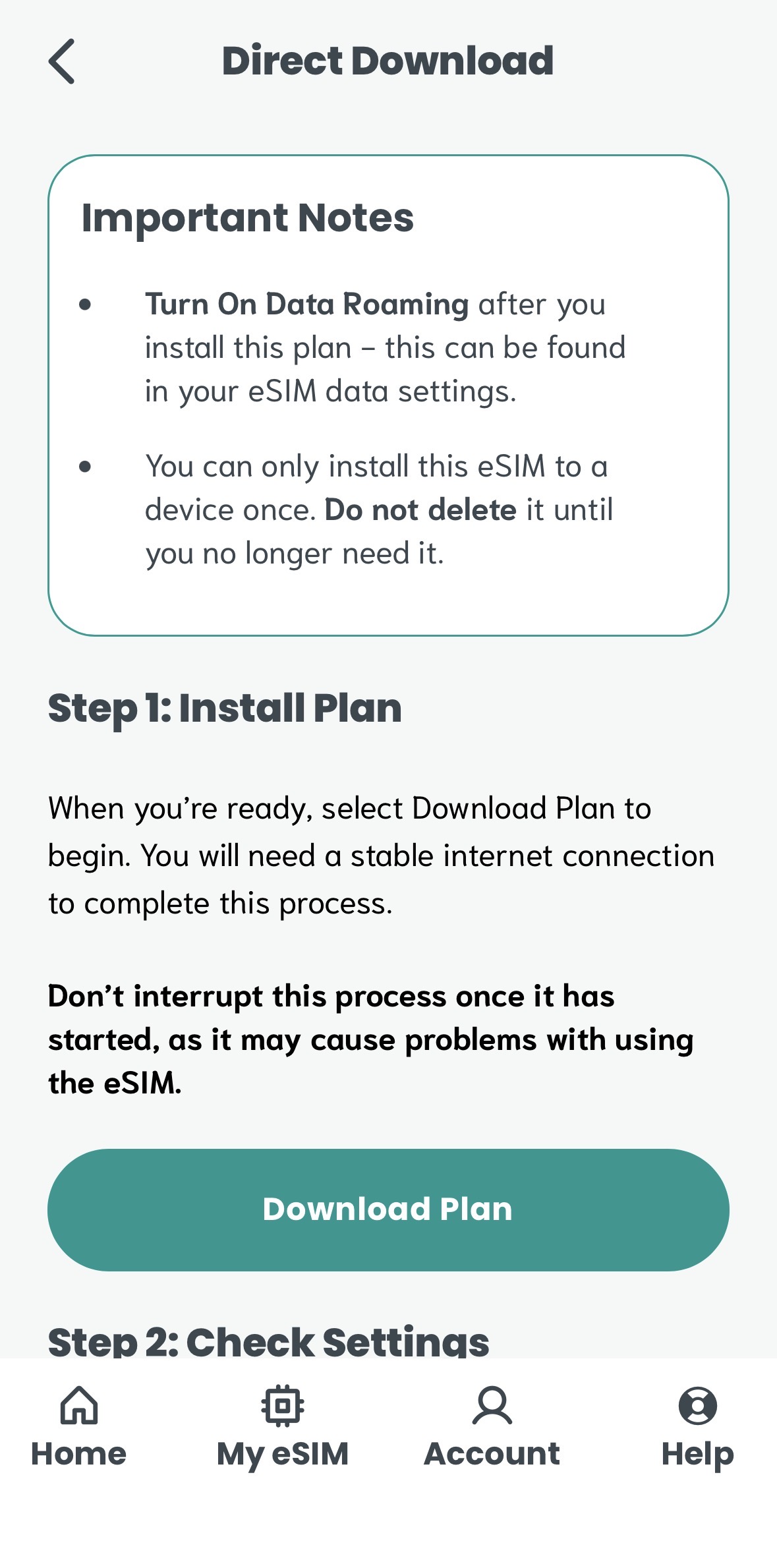
In case this doesn’t work in your case, there are other options available, like scanning a QR code (which should also allow to install the eSIM with a few clicks) or a manual installation (where you would need to copy some information and input it on your phone):
Managing your eSIMs/physical SIMs
Depending on your phone model and the SIMs/eSIMs you are already using, you may need to choose to deactivate some of them.
For example, in my specific case, my main Spanish SIM is a physical SIM card, and I also have a Portuguese eSIM card I use when I visit the country. Since my phone only allows to have one eSIM active at the same time, I had to deactivate temporarily my portuguese eSIM to activate the Asian/Malaysian eSIM. That means that during the trip, I wouldn’t get calls/sms for that portuguese number. However, if needed (for example, for receiving an SMS) it’s possible to quickly activate/deactivate any of the eSIMs at any time, so this is not a problem.
More modern phones allow to use 2 eSIMs at the same time.
Super important: make sure you turn off data roaming for any SIM card you may have (physical or eSIM) to avoid huge roaming fees from your home providers.
Check your specific case to understand how to deal with this during your trip, if necessary.
Our experience and real speed tests of Sim Local eSIMs in Malaysia and the Philippines
Our experience using Sim Local eSIMs was great: we also bought local physical SIM cards both in the Philippines and Malaysia, so we could check whether Sim Local eSIM was similar or not, and we couldn’t tell the difference; anywhere with local coverage, Sim Local eSIM had coverage too, and the speeds we got where similar. They performed great both in cities and in smaller towns or islands, and whenever we have less coverage or slower speeds, it was because of the local network there.
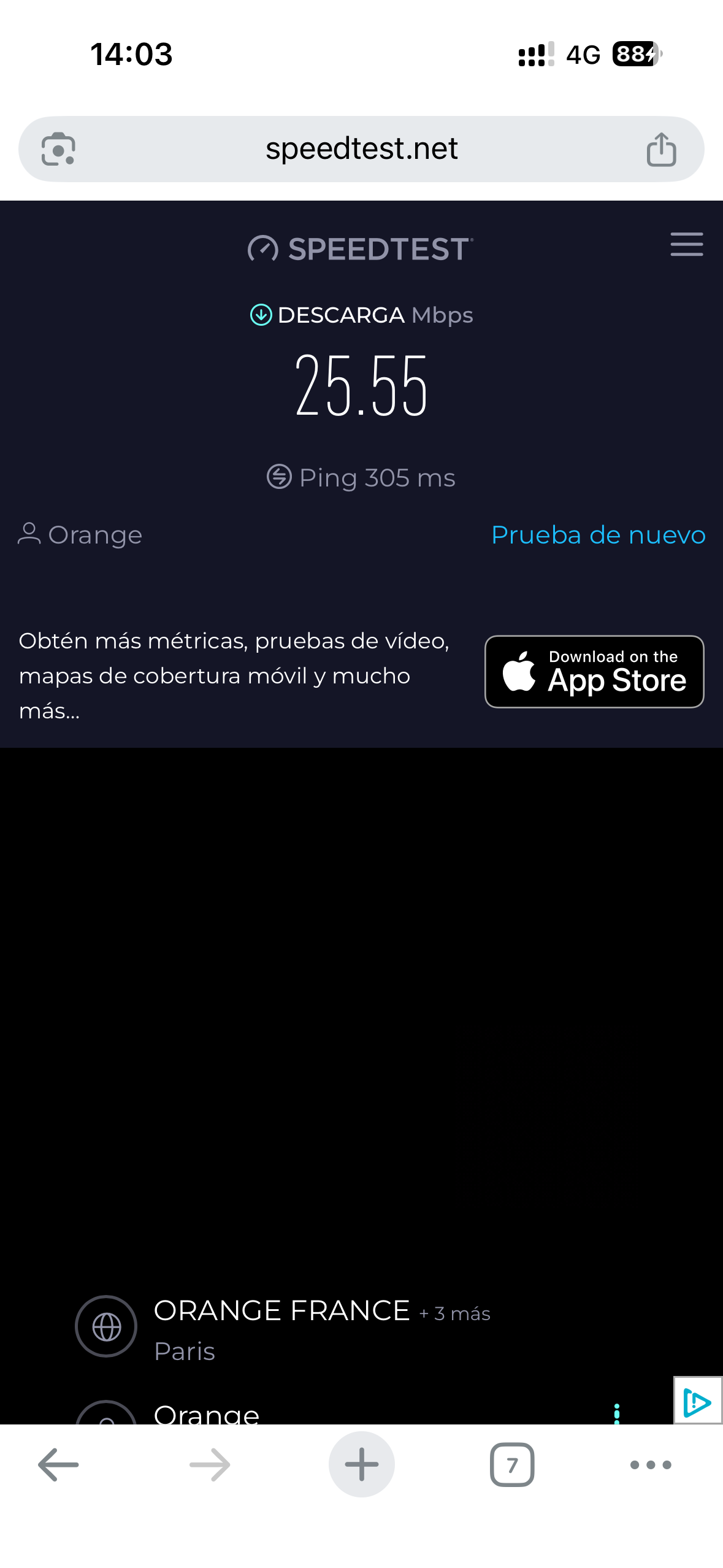
During our time using the Sim Local eSIMs in Malaysia and the Philippines, we performed some speed tests using the popular app Speedtest.net, so you can get a more realistic and truthful idea of the performance of Sim Local eSIMs:
Kuala Lumpur (Malaysia) speed test with Sim Local Malaysia eSIM:

Penang (Malaysia) speed test with Sim Local Malaysia eSIM:

Siquijor (Philippines) speed test with Sim Local Asia eSIM:
Sim Local: Pros and Cons
After thoroughly testing the service, here are Sim Local pros and cons:
Pros
- Instant connectivity
- Easy to set-up
- Variety of plans and prices
- Transparent pricing
- All plans allow unlimited hotspot/tethering
- 24/7 support
- Normally much cheaper than roaming fees
Cons
- Normally, more expensive than a local physical SIM card
- Some plans are data-only (so no local phone number)
- You need a compatible phone
FAQs about Sim Local
Following are some frequently asked questions about Sim Local. If after reading the article and this FAQ you still have doubts, you can leave us a comment:
No! Your WhatsApp is verified once, when you install the app through your phone number, but after that, you can use the app normally even if you take out that SIM card. You can continue using WhatsApp exactly as normal, it will just use the Sim Local data to send messages and make voice calls.
Normally yes, depending on your phone device and depending on if your home SIM card is physical or an eSIM. So if your phone supports dual SIM, you will be able to receive SMS and calls on your home SIM card (for example for 2FA – Two-Factor Authentication – texts). Make sure “Data Roaming” is turned OFF for your home SIM to avoid those nasty charges from your home provider!
Most newer smartphones are. If you have an iPhone XR/11 or newer, a Samsung Galaxy S20 or newer, or a Google Pixel 3 or newer, you are likely good to go. You can check the list of eSIM compatible phones here. Importantly, your phone must be carrier-unlocked.
Depends on the plan, some plans allow top-ups and some not. Check the details of each plan at Sim Locals’s website or app
It depends on the plan you choose. Most plans are data-only. This means you won’t get a local phone number for traditional offline calls or SMS. However, you can still use data-based apps like WhatsApp, FaceTime or Messenger to make calls. Sim Local does offer some plans that actually include a phone number with calls and texts. If you need a phone number, check the specifics of each specific plan carefully
If you value convenience, reliable 4G/5G speeds, and want absolute peace of mind against expensive roaming charges, Sim Local is highly recommended to stay connected during your travels
Ready to try it out? Get a 10% discount with our discount code RANDOMTRIP
